
Twitch Bot
Questions land directly from chat via command into the system.
Twitch · Form · Dashboard · OBS
QuestBoard collects questions from Twitch and forms, prioritizes them in the dashboard, and brings them as an OBS widget directly into your stream.
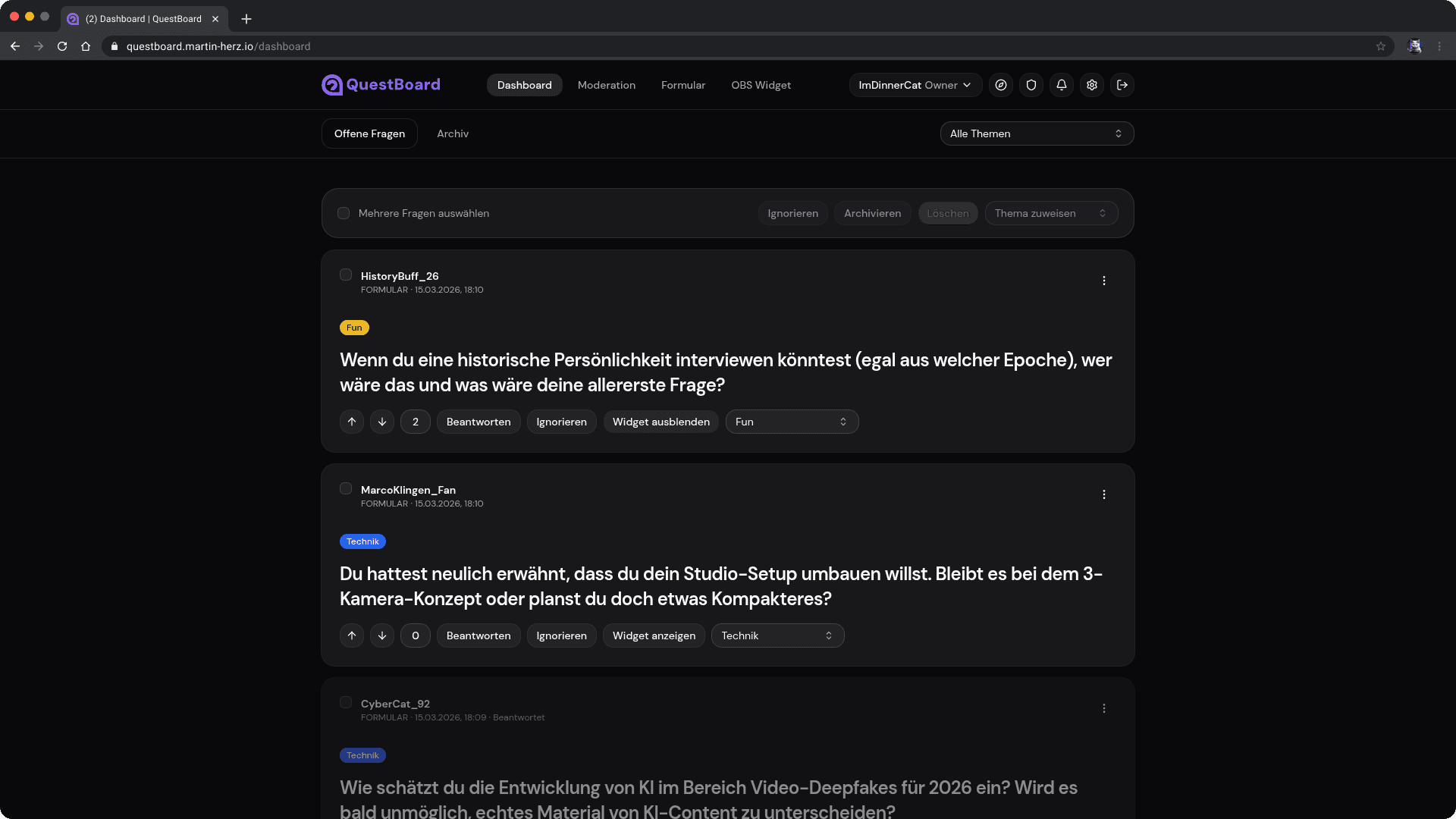
The Problem
Valuable questions get lost in fast-moving chats, moderation becomes chaotic, and creators switch between chat, overlay, and notes.
QuestBoard turns chaotic questions into a moderable, prioritized, and presentable queue.
Chat Chaos
Structured Queue
Question about topic X
Open · prioritized
OBS workflow in stream
Marked for display
Discord / community questions
In review
Workflow
Questions enter the system, get prepared in the dashboard, and are then displayed in the stream in a controlled way.
Questions come into the system via Twitch or a public form.
In the dashboard, questions are moderated, sorted, and prepared for the stream.
The OBS widget displays questions in a controlled and clean way.
Integrations
Twitch, form, and OBS don't just run side by side in QuestBoard — they work together in a shared workflow.
Questions land directly from chat via command into the system.
Questions can be collected in advance or platform-independently.
The selected question is displayed in a controlled and visually clean way in the stream.
Value
QuestBoard is not just a list of questions — it's a productive control surface for intake, moderation, and presentation.
Questions from Twitch and forms flow into the same workflow.
Questions are sorted, prioritized, and prepared for the stream.
Questions can be displayed in the stream in a controlled and clean way.
From solo creator to team moderation, the platform is designed for growth.
Use Cases
Keep Q&A sessions structured without switching between chat, notes, and overlay.
Use Twitch and form in parallel to collect community questions cleanly.
Collect questions in advance or live, and play them out in a controlled way during the stream.
Roadmap
Short-term
Fine-tuning realtime, widget transitions, and the moderation flow.
Mid-term
Additional sources and integrations to make QuestBoard usable across platforms.
Long-term
After beta, QuestBoard will be openly available to many more creators.
Open Beta & Getting Started
QuestBoard is now available as an Open Beta. You can create an account directly, build your setup, and give us feedback from real streams.
Ready to get started?
If you already have access, you can jump straight into the workflow.
FAQ
No. You can collect questions additionally or exclusively through your public form.
The form supports captcha verification and is tied to the respective account.
Yes. With the OBS widget you can display questions on demand and control visibility and style.
No. QuestBoard is currently available as Open Beta and is being developed further with real user feedback.
Create an account, set up your form or Twitch source, then test the workflow directly in the dashboard.
Yes. In the form section you can set your own vanity URL and activate your form as needed.
Create your account and bring questions from chat and community into a clear stream workflow.